Domino Rivals - Board game
- 4.7
- Rating
- 100.00K
- Installs
- Free
- Price

 Analysis by App-foxy
I enjoy board games most when they are easy to start but still give me a reason to think before every move. Domino Rivals aims at that comfortable middle ground: it brings a familiar domino format to a phone or tablet, with online play at its center and a free entry point that makes trying it simple. I spent time looking at how it fits into ordinary breaks, what can make the first session feel less smooth, and where its limits become noticeable.
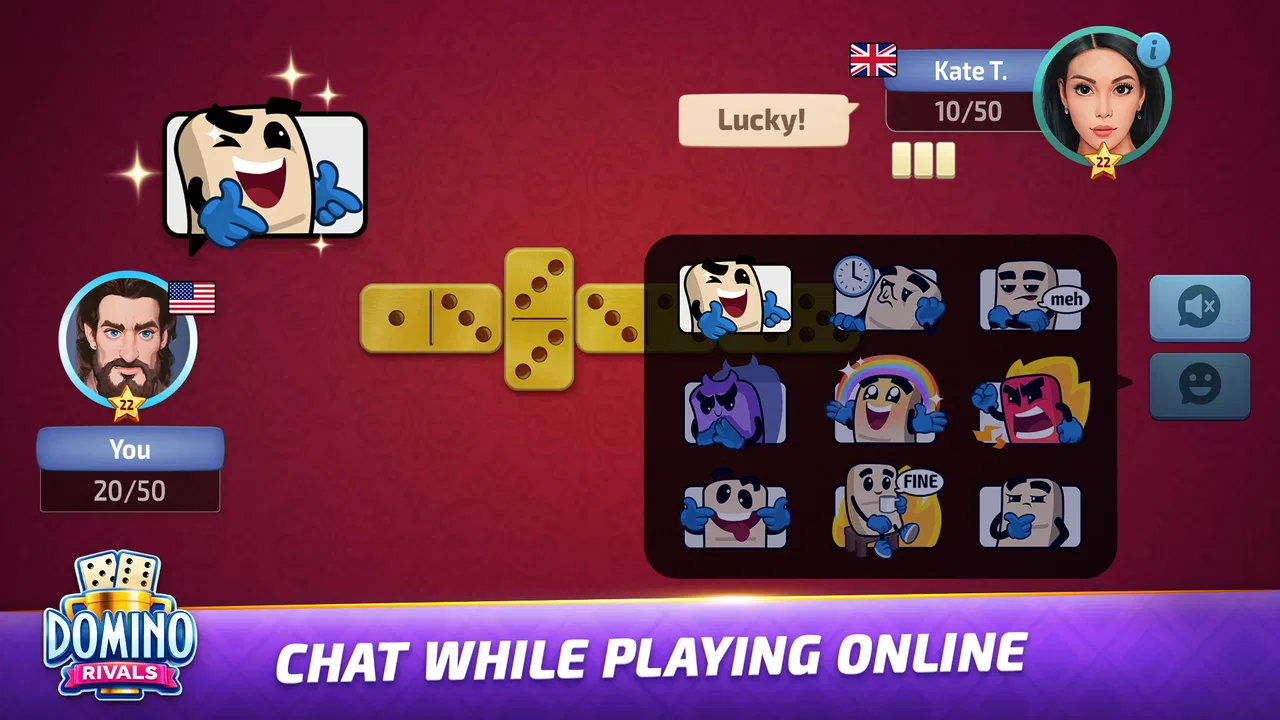
Developed by ZiMAD, this is a board game for mobile players rather than a complicated strategy title. Its store summary presents it as a classic domino experience on a device, and that description is a fair starting point, although it does not explain the small decisions that matter when using it regularly. The game is free to install, rated for Everyone, and supports devices running Android 6.0 or later. That broad compatibility makes it approachable for people using older phones as well as newer models.
Getting into a match without unnecessary friction
The first thing I would tell a new player is not to judge the game by the first few minutes alone. Dominoes are familiar, but a mobile version still asks you to adjust to touch controls, the pace of an online opponent, and the way information is arranged on a smaller screen. A move that feels obvious with physical tiles can take an extra moment when you are checking the board, selecting a tile, and confirming that the intended action registered.
You May Also Like

 Blood Strike: 2.5 Anniversary
Blood Strike’s Loadouts Turn Every Drop Into a Tactical Gamble
A close look at Blood Strike’s custom loadouts: how fast access to signature weapons reshapes its battle royale rhythm, rewards preparation, and narrows the gap between fights.

 Pandora - Music & Podcasts
Pandora’s Music Is Easy to Start, but Harder to Recover
Pandora’s strength is its low-effort path from a seed to a station. Its weak spot is how much confidence it asks you to place in connection, setup, and quiet recovery.

 8 Ball Pool
8 Ball Pool Is Built on Rivalries, Rematches, and Routine
A close look at the rivalries, rematches, shared routines, and unanswered safety questions that turn a quick pool match into a persistent mobile community.

 Samsung Music
Samsung Music’s Quiet Strength Is Playing What You Already Own
Its reach comes less from spectacle than from dependable access to a personal library. That simplicity is both the app’s strongest retention engine and its ceiling.

 AccuWeather: Weather Radar
AccuWeather Review: A Quick, Clear Forecast for Everyday Decisions
For everyday plans, the best forecast is the one you can understand quickly. AccuWeather makes rain timing, radar, and local conditions easy to act on, with a few trade-offs.

 Hill Climb Racing
Why Hill Climb Racing Still Turns Crashes Into One More Run
A tiny car, a bumpy hill and one more upgrade: Hill Climb Racing keeps resurfacing because its simple chaos makes every near-miss feel personal.
More From Our News Desk



That adjustment is the main place where users can get stuck. It is easy to tap too quickly when the board is busy, particularly if you are playing during a short break and trying to keep up with the opponent. I found it more comfortable to pause briefly before touching a tile, inspect both playable ends, and then make one deliberate selection. This sounds basic, but it reduces accidental moves and makes the experience feel much more controlled.
Another useful habit is to begin with a calm session rather than treating the first game as a test of skill. The opening turns are a good time to learn how the app presents available choices and how quickly the match advances. If the interface feels unfamiliar, I would avoid switching repeatedly between apps or locking the screen during those first turns. Establishing a steady rhythm makes it easier to tell whether a problem is with the game itself or with the phone’s current state.
What to check before blaming the game
When a match seems slow to begin, I start with simple checks. I make sure the device has a stable internet connection, especially because online play is more sensitive to interruptions than a purely offline board game. Moving from a weak mobile signal to a reliable Wi-Fi connection can make a bigger difference than changing anything inside the game.
I also close demanding apps running in the background and check that the phone is not overloaded with downloads or updates. This is sensible for any online game, but it matters particularly on older hardware that may have less room for several tasks at once. Since the game supports Android 6.0 and newer, compatibility alone does not guarantee identical smoothness across every device. A modern phone and an older phone may both run it while responding differently under pressure.
If the screen does not react as expected, I first confirm that the touch input is reaching the right part of the display. A smudged screen, a thick protector, or an accidental touch near the edge can make a legal move look unavailable. Rotating the phone or changing the way it is held may also alter how comfortably the board can be viewed, so I prefer a stable grip and enough time to read the layout before acting.
There is also a practical setup question that is easy to overlook: available storage and system health. A game can be free to download and still need the device to have enough working space for installation and updates. If installation stalls, I would check free storage, restart the device, and try again through the normal app store process. I would not immediately assume that the game is defective.
How I recover when a session goes wrong
Online games occasionally produce confusing moments. A match may appear to pause, a screen may take longer to refresh, or returning to the app after another task may leave the session feeling out of step. My first recovery step is patience: I wait briefly rather than tapping several controls in succession. Repeated taps can make it harder to understand which action was accepted.
If nothing changes, I leave the game in the normal way and reopen it. I prefer this to repeatedly forcing actions while a connection is unstable. Before trying another match, I check whether the rest of the phone is behaving normally. If browsing and other connected apps are also struggling, the likely cause is the connection or device rather than the domino table.
A restart is a reasonable next step when the app remains unresponsive. It clears temporary issues without changing the way I approach the game. After reopening, I would give the connection a moment to settle, then start with a short session instead of immediately entering a long run of matches. This creates a useful distinction between a one-off interruption and a repeatable problem.
One of the more useful workflows is to separate setup troubleshooting from gameplay decisions. I do not experiment with connection changes while making an important move. I finish or exit the current situation as cleanly as possible, restore a stable connection, and then begin again. That prevents technical uncertainty from being mixed with questions about strategy.
Small habits that improve the playing experience
Domino Rivals is easier to enjoy when I treat each match as a focused activity rather than background entertainment. I keep notifications from pulling my attention away, especially during online games where a delayed response can make the session feel disjointed. A quiet two-minute window is often better than trying to play while answering messages, switching music, and moving between several apps.
I also use the opening of a match to observe rather than rush. The first few turns reveal how much visual space the current board needs and whether I can comfortably distinguish my available tiles. If the display feels crowded, holding the phone a little farther away or cleaning the screen can help more than changing settings at random. This is a small but practical adjustment for anyone with a compact display.
For new players, I recommend focusing first on legal moves and board reading, not on trying to imitate an advanced opponent. Dominoes reward attention to what has already been played, but that skill develops gradually. I look at the open ends, consider which tiles may become awkward later, and avoid spending every move as quickly as possible. The online format gives those choices more weight because the other player is not simply waiting for a casual conversation to finish.
A less obvious trade-off is the difference between convenience and atmosphere. A physical domino set offers tactile feedback, shared table space, and easy conversation. This app offers portability and immediate access, which is better when I am alone or away from home. I would choose the phone version for a commute break or a quiet evening, but I would still choose physical tiles for a family gathering where the social setting matters as much as the game.
Where the free model fits into regular use
The no-cost entry point is one of the strongest reasons to try it. I can explore the basic experience without committing money first, which suits casual players who may only want a few matches now and then. At the same time, the game includes optional in-app purchases ranging from $0.49 to $99.99 per item. That range is important to notice before spending, because the top end is a very different commitment from a small convenience purchase.
My advice is to decide in advance whether I am evaluating the game as a free pastime or as something I plan to support with purchases. I would play several sessions, see whether the online rhythm suits me, and only then consider buying anything. A free game can be perfectly worthwhile without extra spending, but the presence of purchases means families should be aware of the payment settings on the device.
The Everyone rating makes it suitable for a broad audience in terms of age classification, but that does not remove the need for sensible supervision around purchases or online interaction. I would be comfortable recommending it as a simple board-game option, while still explaining to younger players that the free download and optional spending are separate things.
Who will enjoy it, and who should choose something else
This is a good fit for someone who already likes dominoes and wants a portable way to play online. It also works for a player who prefers short, repeatable matches over a large adventure, story campaign, or highly elaborate ruleset. The 4.7 average from around 3.3 thousand ratings suggests that many players are responding well to the overall experience, and the game has passed 100 thousand installs, so it is not an obscure experiment with no audience.
I would especially recommend it to people who want a familiar board game during small gaps in the day. For example, if I have a few minutes before an appointment, I can use that time for a match instead of opening a more demanding game that requires a long uninterrupted session. The key is to start only when I can give the board enough attention; online play is not ideal if I expect to stop every few seconds.
I would be more cautious about recommending it to someone seeking a deep offline experience, a rich single-player campaign, or a large collection of board games in one application. A dedicated physical set is better for tactile play, while a broader board-game platform may suit people who want chess, cards, and several other formats beside dominoes. Players who dislike touch controls or online pacing may also prefer a traditional set or a slower digital alternative.
It is also not the right choice for anyone who wants every session to be completely independent of connectivity. Because the appeal is tied to online domino play, connection quality becomes part of the experience. If reliable internet is difficult to find, the convenience of carrying the game may be offset by interruptions.
How it compares with familiar alternatives
Compared with physical dominoes, the app wins on portability and quick access. I do not need to carry tiles, clear a table, or find another person in the same room. The cost of entry is also lower than buying a set, since the game itself is free. The compromise is that the phone becomes the table, and the screen cannot reproduce the satisfying handling of real pieces.
Compared with offline digital domino games, its online focus can make matches feel more active and less predictable. Playing against another person gives each move more urgency, but it also introduces connection and timing concerns. An offline option is preferable when I want to practice privately, play without interruptions, or avoid depending on another player’s availability.
Compared with larger board-game collections, this title is narrower but more focused. That is a benefit if dominoes are the game I actually want to play. It is less convincing for someone who expects a single download to provide a wide evening of different tabletop experiences. I would make the choice based on how often I play dominoes, not on the general appeal of board games as a category.
What I would do before making it a daily game
I would begin by installing it on a device that meets the Android requirement, checking storage, and ensuring the connection is reliable. The current version is 1.5.3, so I would also keep the app updated through the standard store process rather than ignoring available updates indefinitely. Updates are worth treating as part of normal maintenance, especially for an online game where compatibility and stability matter.
Then I would play several free matches at different times of day. This helps me learn whether my connection is dependable and whether the pacing fits my routine. I would pay attention to how the board feels on my particular screen, how easy it is to make a precise selection, and whether I enjoy the decisions after the novelty of the first session fades.
If a problem appears, I would use the recovery order that worked best for me: check the connection, close competing apps, wait before tapping repeatedly, reopen the game, and restart the phone if necessary. I would only consider spending after that basic experience felt stable. This approach prevents a technical issue from being mistaken for a reason to buy something.
The developer, ZiMAD, has positioned the title clearly as a mobile domino game rather than an all-purpose board-game hub. That clarity helps set expectations. I know what I am opening, and I can decide quickly whether a focused domino session is what I want at that moment.
My practical verdict
Domino Rivals is an easy recommendation for casual domino fans who value portability and online matches. I like that it keeps the central idea recognizable while making it available whenever I have my phone nearby. Its free starting point, broad age rating, and modest device requirement make it approachable, while the strong average rating and growing install count indicate that it has found an audience.
Its weaknesses are less about the domino format and more about the realities of mobile play. Touch controls require care, online sessions depend on a stable connection, and optional purchases deserve attention before anyone spends. Those are manageable issues, but they matter if I want a completely frictionless or entirely offline experience.
My final advice is simple: try it as a short, focused board-game break, not as a replacement for every kind of domino session. Give the setup a fair chance, use deliberate taps, and troubleshoot the phone and connection before blaming the game. If you enjoy reading the board and making measured choices against online opponents, this is a convenient way to keep dominoes close at hand. If you mainly want social table time, deep offline practice, or a broad collection of different games, another option will serve you better.
FAQs for Domino Rivals - Board game
01What is Domino Rivals - Board game?
Domino Rivals - Board game is a digital domino experience designed for players who enjoy quick, competitive matches. It generally combines familiar domino rules with a modern interface, allowing you to play against other people or computer-controlled opponents. Before downloading, remember that the exact modes, scoring systems, and available features may vary depending on the version, device, region, or updates released by the developer.
02Can I play Domino Rivals offline?
The availability of offline play depends on the game’s current version and the selected mode. Some domino games allow users to practice against artificial intelligence without an internet connection, while online rival matches normally require a stable connection. If you plan to play while traveling, check the store description and test the game after installation, since advertisements, account services, matchmaking, or certain events may still require internet access.
03Is Domino Rivals suitable for beginners?
Yes, Domino Rivals can be approachable for newcomers because domino matches are usually based on simple tile-matching rules. However, beginners should still expect to learn the scoring system, turn limits, special rules, and strategic choices used in each mode. A short practice session is recommended before entering competitive games, particularly if the app includes ranked matches, timed turns, or opponents with considerably more experience.
04Does Domino Rivals include multiplayer, purchases, or advertisements?
Domino Rivals may offer online multiplayer features, competitive matchmaking, and optional in-app purchases, depending on the edition available for your Android or iOS device. Free versions can also display advertisements between rounds or during menu navigation. Before downloading, review the store listing for pricing, subscription information, advertising details, and purchase restrictions, especially if children will use the device or access the game.
05What should I check before downloading Domino Rivals?
Before installing Domino Rivals, check whether your phone meets the required operating-system version and has enough free storage for the download and future updates. It is also worth reviewing the developer’s privacy information, requested permissions, online requirements, and recent user feedback. Players should confirm that the game is officially available in their region and that its supported language, controls, and monetization model match their expectations.
Pros
- Quick matches make it easy to play during short breaks.
- Simple rules are suitable for both beginners and experienced players.
- Competitive gameplay adds excitement beyond traditional dominoes.
- Online opponents provide variety and keep matches from feeling repetitive.
- The board and pieces are clear and easy to follow on mobile screens.
Cons
- Matchmaking quality may vary depending on the time of day.
- Some players may find repeated game modes become predictable.
- A stable internet connection is needed for online matches.
- Competitive losses can feel frustrating for casual players.
- Progression may feel slow without frequent play or optional purchases.

Domino Rivals - Board game
Gallery